

Finding the API Version
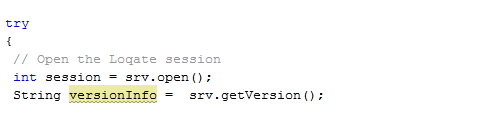
Method 1: Call getVersion()
You can call the getVersion() method from the API using String variable to store the API version information.
Method 2: Lookup on Released Page
Lookup on releasedMethod 3: Run lqtBatch -v
Run lqtBatch -v

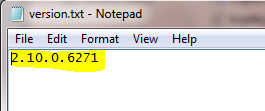
Method 4: Check version.txt File
Since 2014Q1.0 release, Loqate Software Installation directory contains a file called version.txt. Examine the contents of the version.txt file.
Method 5: Run Install Manager
Run Install Manager, look at the bottom left of the window or at the command line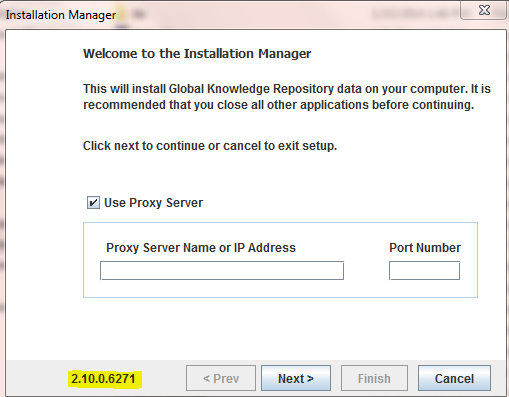
Finding the Data Files Version
Method 1: Run Install Manager
Run Install Manager and check the date of the currently installed datapacks.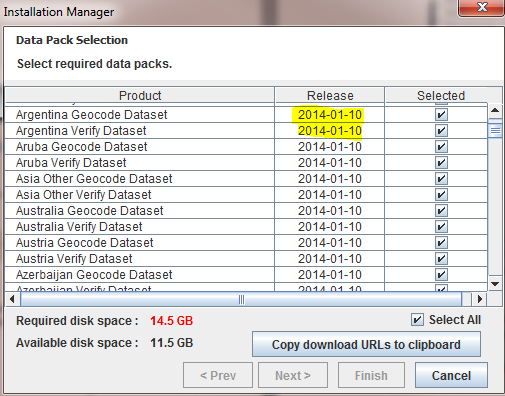
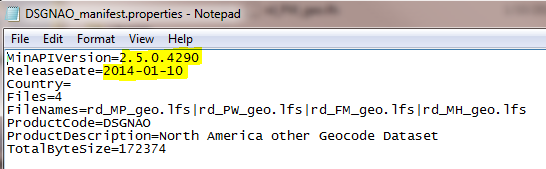
Method 2: Check _manifest.properties Files
Each datapack has their own manifest and data files. Check in the _manifest.properties files in the data folder, and look for the ReleaseDate entry. The release date and version corresponds to the files associated with that datapack.
Method 3: Run lqtBatch Without Input File
Run lqtBatch without an input file, e.g., lqtBatch -d /opt/loqate/data and examine the File.Build.* timestamp on each file

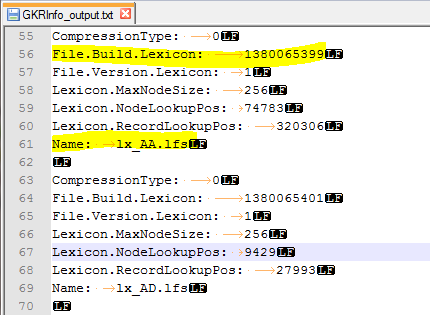
Method 4: Run the GKRInfo Tool
Run the GKRInfo tool in the API and examine theFile.Build.* timestamp on each file
Method 5: Examine Downloaded LFZ Files
Examine the downloaded.lfz files, which have the format <Product>_<Min API version>_<Release Date YYYYMMDD>_<Filesize in Mb>.lfz
